
How can I access private messages?
If you want to exchange private messages, you'll need to upgrade your CamSoda account to Premium or purchase a Fan Club membership.
How do I open and send a private message (PM) to a model?
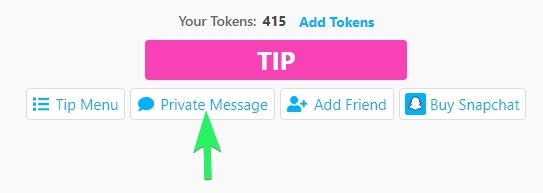
- Desktop: Visit the model's room and click the PM button below the broadcast.
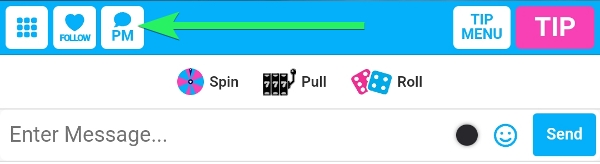
- Mobile: Tap the chat bubble icon below the broadcast window labeled PM.
- Enter your message and send. You can also tip a model via PM.
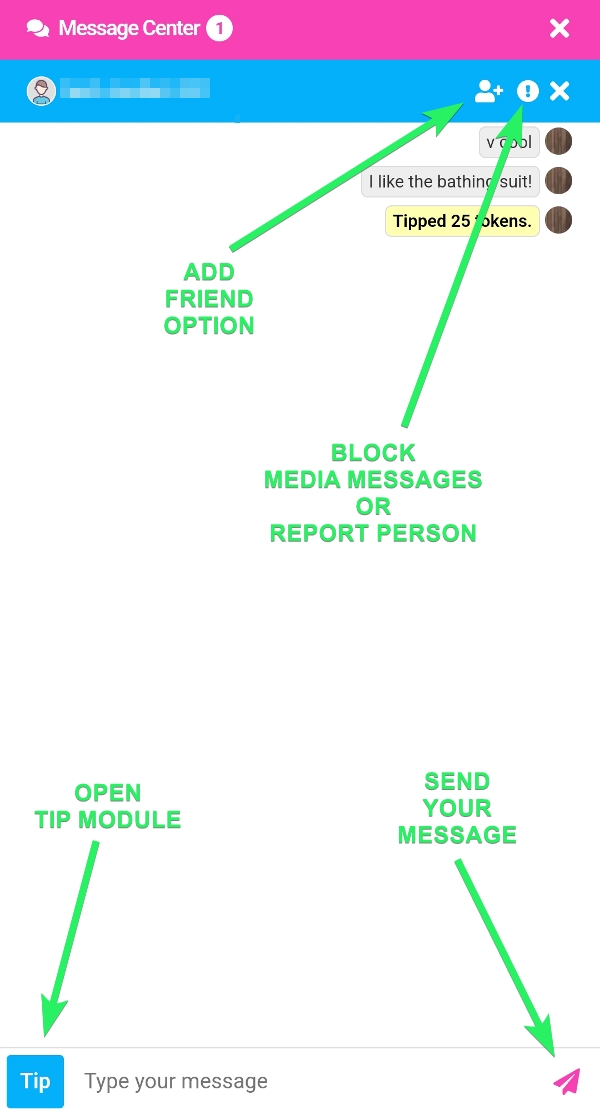
Once you've exchanged messages with a model, you can locate it in your Message Center.
How do I access my Message Center?
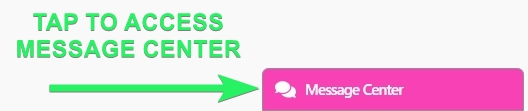
- Desktop: Tap the pink bar that says Message Center on the lower right corner of your browser.
- Mobile: Tap the chat bubble icon at the top of your browser.

Do I need tokens to PM?
No, but you will need a Premium membership or a Fan Club subscription.
How can I manage my messages?
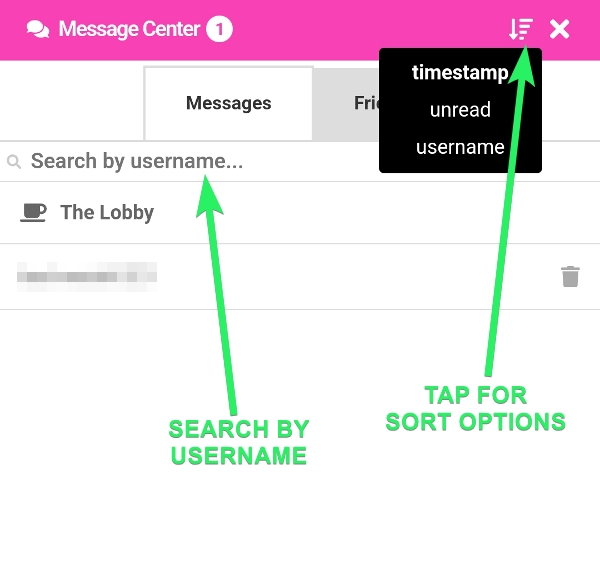
Your Messages tab shows chat history, which can be sorted by timestamp, unread status, or alphabetically. Unread messages have a number indicator and a gray dot. You can also search your messages by typing the username into the field at the top of the Message Center.
Can I PM other members?
Yes, click their username in the chatroom and select "send message"
What if I get spam or unwanted messages?
Block the sender directly in the PM box or report them by tapping the exclamation point icon. Selecting this option also allows you to disable mass media messages. If you're a Premium member, you can access Invisible Mode to reduce the amount of unwanted messages you receive while online.
How do I delete old messages?
Go to the Message Center, select Messages, and click the trash can icon next to the username.