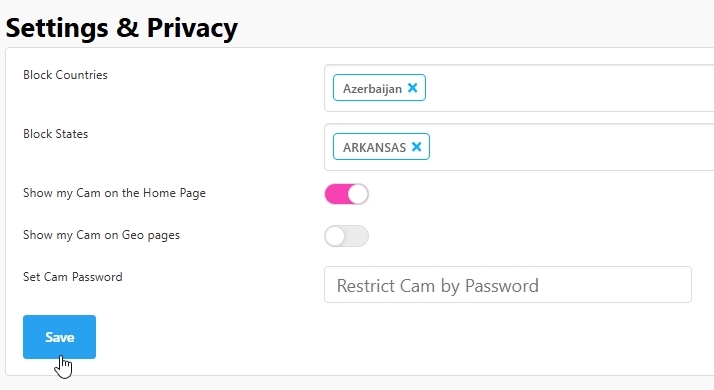
Aside from blocking individual members by tapping on their username in your chat and selecting Ban, we provide the following options for your consideration:
- Geographic Restrictions: Models have the ability to restrict viewership based on geographic location.
- Navigate to Settings & Privacy.
- To block a specific country or US state, type its name into the designated box. The system will provide an auto-populated list for easy selection.
- Room Passwords: Models can set a password for their stream.
- This means that only viewers with the password can join the stream.
- While we advise against using a password as a default setting—since it can limit audience growth and exposure—it can be an engaging way to host special events or shows for dedicated fans.
- Show Cam On the Home Page / Geo Pages toggles: Limit your stream visibility further by toggling on or off cam visibility on the home page, or from being displayed in specific geographic location searches. We do recommend that models allow their cams to be visible on the home page as it can possibly affect traffic to your room.
Remember, these tools are designed to give models control over their streaming experience and audience engagement!